Meridian · 1040+MA+NYACCEPTED
Okafor · 1120-SACCEPTED
Lindqvist · 1040+CAREJECT · fix queued
Park Trust · 1041QUEUED · 8879 PENDING
Sato · 1040 EXTACCEPTED
One workspace from client intake to IRS acknowledgment — intake, documents, calculations, workpapers, review, signatures. Then file it in TaxScout, or export to the software your firm already runs.
No return is transmitted without reviewer approval · 8879 first, always
TaxScout.ai accepted as an Authorized IRS e-file Provider →
READ ON MARKETS INSIDER · YAHOO FINANCE · BENZINGAA tax engine that can’t run the practice, and a practice tool that can’t touch the return. So firms buy both — and the client record lives in neither.
No client portal, no pipeline, no billing, no AI intake. You buy TaxDome on top.
Cannot prepare or file a return. You still pay per user, and still pay for Drake.
Collect → prepare → review are identical for every return. At the junction, the reviewer picks the track: transmit from TaxScout, or export to the engine you trust.
It works out what each client needs to be asked, asks only that, and chases what’s missing.
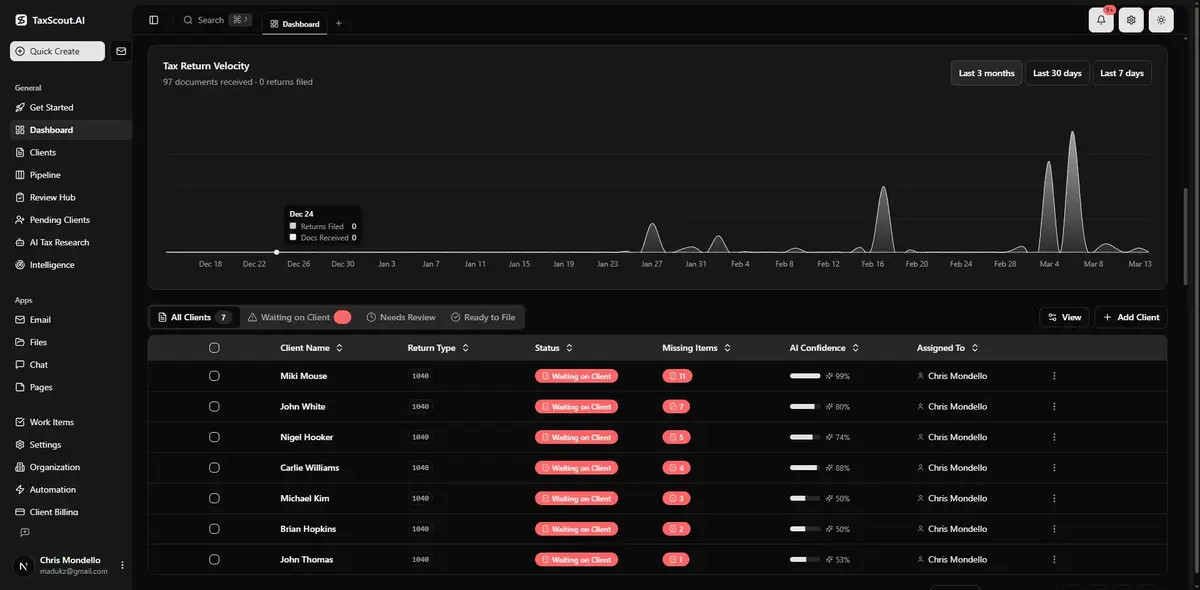
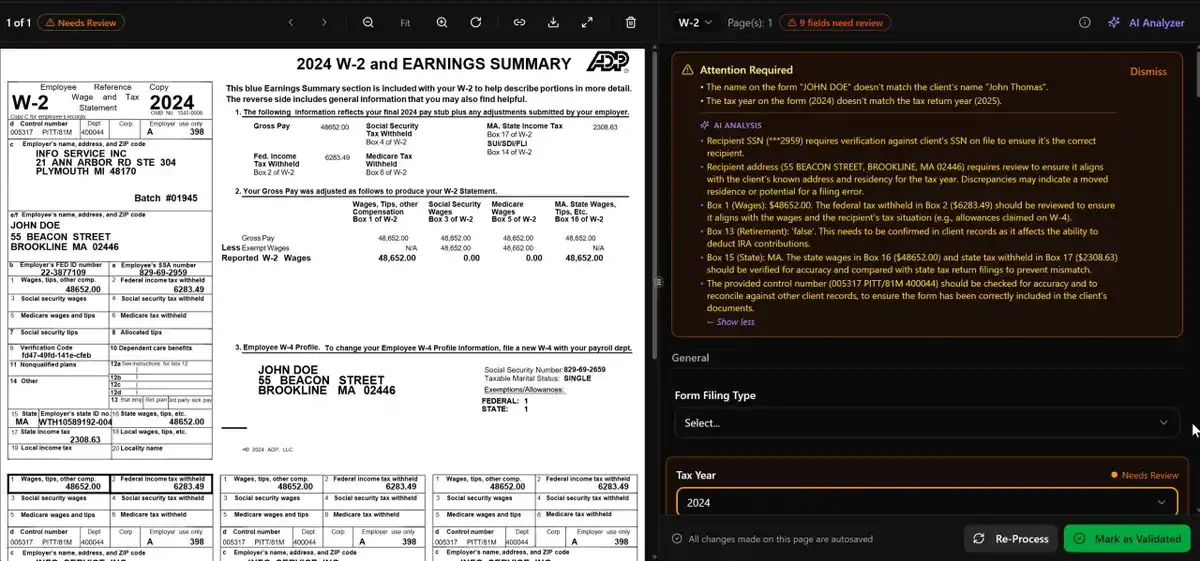
Extracted, cross-checked, calculated. Click any value → the page it came from.
Accept, correct, escalate — recorded on the return.
The return unlocks when the invoice is paid.
client tax documents in — W-2s, 1099s, brokerage, K-1
exceptions raised · three human decisions
signature — 8879, e-signed in the portal
average IRS acknowledgment, when you file here
TaxScout prepares the work. Your reviewer must approve it before TaxScout sends, files, or shows anything to a client.
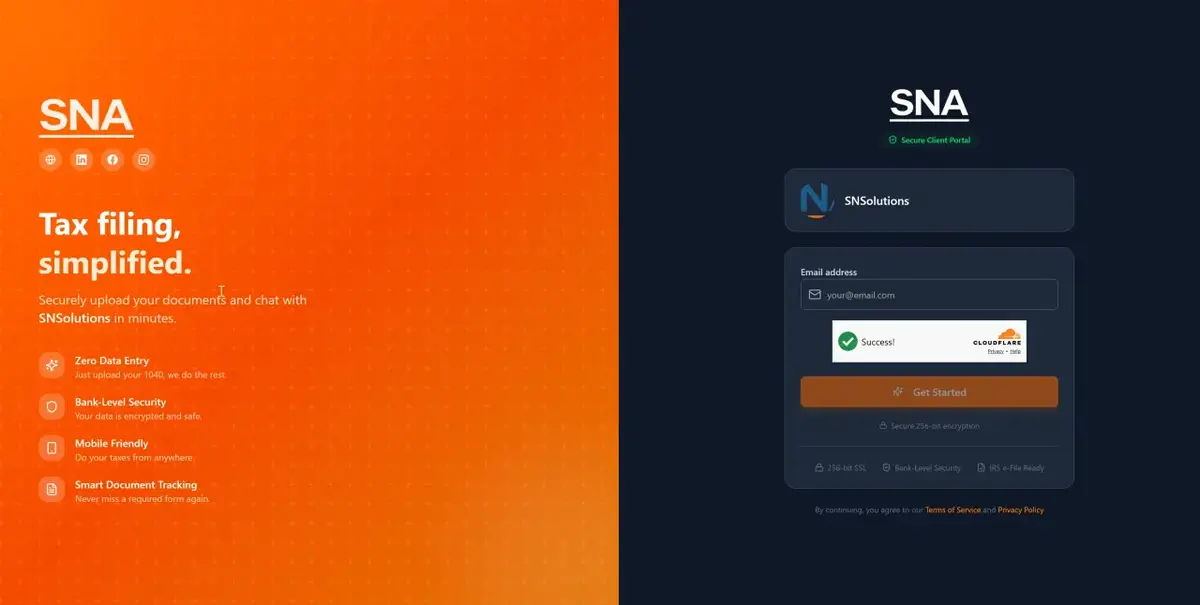
You don’t build organizers or questionnaires. TaxScout works out what each client needs to be asked — from last year’s return, their situation, and what has already arrived — and asks only that, in a conversation, in your branded portal. Every upload is classified as it lands. If a 1099 is missing or a statement is for the wrong year, TaxScout chases it and sends the reminders itself. You stop chasing clients; you approve what goes out.
It reads the client documents, extracts every field, cross-checks the package, and drafts the complete return with every source value linked to the page it came from. Your preparer checks a finished draft instead of typing it in.
Low-confidence values, cross-document mismatches and open elections land in one queue, with the source page beside each one. Research questions are answered with live IRS citations. Accept, correct or escalate — every decision is recorded on the return.
The client e-signs the 8879. Then file directly from TaxScout under your EFIN, or download the import file for your tax software and file there. Acknowledgments and rejects come back to the same return either way.
Every extracted value is shown beside the page it came from. TaxScout surfaces low-confidence fields, missing information and validation exceptions; the CPA decides what moves forward — and where it gets filed.
Fourteen documents in. Three exceptions raised. Three decisions a person made. One signature — and a filing path the firm chose.
Fourteen files arrive through the portal over nine days: two W-2s, a consolidated brokerage statement, a mortgage interest statement, childcare receipts, and a photograph of a 1099-INT taken on a phone.
Each file is sorted by document type and its fields are extracted into workpapers. Every value keeps a link back to the page it came from.
Last year’s return listed a K-1 that has not arrived this year. It stays on the outstanding list, and a client request is drafted for the CPA to approve.
TaxScout calculates the federal 1040 and the two state returns and drafts them in full. Three exceptions are raised: the phone-photo 1099-INT extracts at low confidence, the brokerage RSU basis omits compensation already taxed on the W-2, and state wages disagree between the two W-2s.
The 1099-INT is confirmed against the source pane and accepted. The RSU basis is corrected, with the reason recorded. The state wage difference is a genuine part-year move and is documented as such. The return recalculates; the diagnostics clear.
The final return and Form 8879 go to the client for e-signature through the portal. Nothing is transmitted until the reviewer’s approval and the signed authorization are both on the return.
Path A: the CPA files directly from TaxScout under the firm’s EFIN. Federal accepted in four minutes; Massachusetts accepted. Path B: the firm downloads the import file and the workpaper binder, and calculates and files in Drake or CCH as it always has. The filing status is recorded back on the client record either way.
Each row carries its own status. Direct filing is available for supported returns; everything else can be handed off without starting over.
One firm subscription. Unlimited internal users. Choose the return-credit pool that matches your practice — on a 12-month term, paid monthly or annually.
Full pricing and overage details →Pick the volume that matches your practice. Every plan carries unlimited internal users, so growing the team never changes the bill.
Run the whole tax workflow without paying per person. File in TaxScout or keep your engine.
Join the live demo →Give every preparer one tax-native workflow — and choose, per return, where it gets filed.
Book a 15-minute workflow review →Standardize tax work across the firm without a forced tax-engine replacement.
Plan a firm rollout →Build a predictable, high-volume workflow — direct filing for supported returns, handoff for the rest.
Request a capacity and integration assessment →Coordinate complex HNW and multi-entity tax work without losing the source, status, or reviewer decision.
Discuss your wealth tax workflow →Each piece is a full product — this is the map. Every card opens the deep dive.
A conversation, not a static organizer PDF. Adaptive questions, prior-year memory, and document predictions per client.
02AI reads W-2s, 1099s, K-1s and more, validates every field, and shows each extracted value beside the source PDF for review.
03Specialists that already know the client’s file and answer with citations from live IRS research.
04Email, chat, and SMS in one AI-prioritized inbox, with drafted replies and an escalation engine for stuck clients.
05A stage-based workflow where the return unlocks when the invoice is paid — no more chasing fees after delivery.
06Proposals, nurture drips, and ready-made campaigns that keep revenue moving through the off-season — on autopilot.
07Official sources monitored daily, with every new rule matched to the clients it actually affects.
08Native booking with deposits and engagement-letter gating, plus meeting notes that file themselves to the client.
Most tax research starts when someone asks a question. TaxScout also monitors regulatory changes and connects them to firm obligations and affected clients.
An official source changes
TaxScout identifies an obligation or opportunity
It is matched to the affected firm workflow or client set
The next action, brief, or client message is drafted
Security requirements, filing changes, deadlines, professional-responsibility alerts — assigned, with the evidence attached.
Which of your clients a change actually affects, the planning opportunity it opens, and a drafted message for you to review before it goes anywhere.
You sign the return with your license. Here’s exactly how the data behind it is protected.
We don’t just take the manual work off offshore prep teams — we help reduce the compliance exposure on the firm owner. Every return stays inside US-based infrastructure built around the disclosure, consent and due-diligence standards regulators just put practitioners on notice about.
The IRS named the risk.
The IRS named the risk.
The IRS named the risk.
The IRS named the risk.
The IRS named the risk.
| TaxScout | TaxDome | Canopy | |
|---|---|---|---|
| Price | from $49/mo for the whole firm | $800–$1,200/seat/yr | $74/user/mo |
| AI extraction | Classification, extraction, layered validation | — | Basic rename only |
| Prepares the return | Complete draft, source-linked | — | — |
| E-file with the IRS | Supported returns, federal + state | — | — |
| AI research agents | Agents + client memory | — | — |
| Pipeline management | Stage-based workflow engine | Basic kanban | Task management only |
| Client portal + e-sign | ✓ | ✓ | ✓ |
| Billing gate | Stripe Connect + pipeline gate | — | — |
| Communication hub | Email + chat + SMS, AI priority | Email only | Email only |
| Revenue engine | CRM + proposals + nurture | — | — |
Competitor prices are the lowest published per-seat rate on each vendor’s official pricing page, normalized to the billing mode shown. Sources checked 2026-08-01.
See the full comparison →Search CPAs, EAs, and tax preparers by state and city. Every listing shows where its credential information came from and when it was checked.
Open the directory →A written information security plan is required of tax preparers. Run the guided assessment and generate your plan — no charge, no platform account needed.
Start the assessment →Solo CPAs and EAs through firm teams, review-first
Documents arrive as PDFs, photos and portal uploads; the owner signs the return and wants to see where every number came from — and to choose, per return, whether to file here or in Drake and CCH.
No transmission without a reviewer
Anyone who wants AI to file on its own judgment, or a bookkeeping-only practice. Nothing reaches the IRS until the 8879 is signed.
FAQ
TaxScout.ai is an AI-native tax preparation, review and filing platform for CPA firms. It collects client documents, prepares the complete draft return with every value linked to its source, routes it for professional review and signature — then e-files it, or exports it to the tax software your firm already uses.
Backdoor Roth IRA: How CPAs Execute the Strategy Without Triggering Pro-Rata Tax
Backdoor Roth IRA: How CPAs Execute the Strategy Without Triggering Pro-Rata Tax
High-income clients are phased out of direct Roth contributions in 2026, but the backdoor Roth IRA remains a viable — and powerful — strategy when executed correctly. This guide walks CPAs through the two-step contribution-and-conversion process, the pro-rata rule traps most practitioners miss…
Amended FBAR Procedures: How CPAs Correct Foreign Account Errors Without Triggering Penalties
Amended FBAR Procedures: How CPAs Correct Foreign Account Errors Without Triggering Penalties
Most FBAR content covers initial filing. This guide goes deeper — walking CPAs through the exact steps to correct a filed or missed FinCEN 114, choose between delinquent and streamlined procedures, document reasonable cause, and communicate risk exposure to clients without alarming them.
Transparency in Coverage Final Rules: What CPA Firms Must Do Now
Transparency in Coverage Final Rules: What CPA Firms Must Do Now
Federal regulators published final Transparency in Coverage rules on October 6, 2026, amending price reporting requirements for non-grandfathered group health plans under ERISA, the Public Health Service Act, and the Internal Revenue Code. CPA firms serving S-corps, partnerships, and nonprofits…